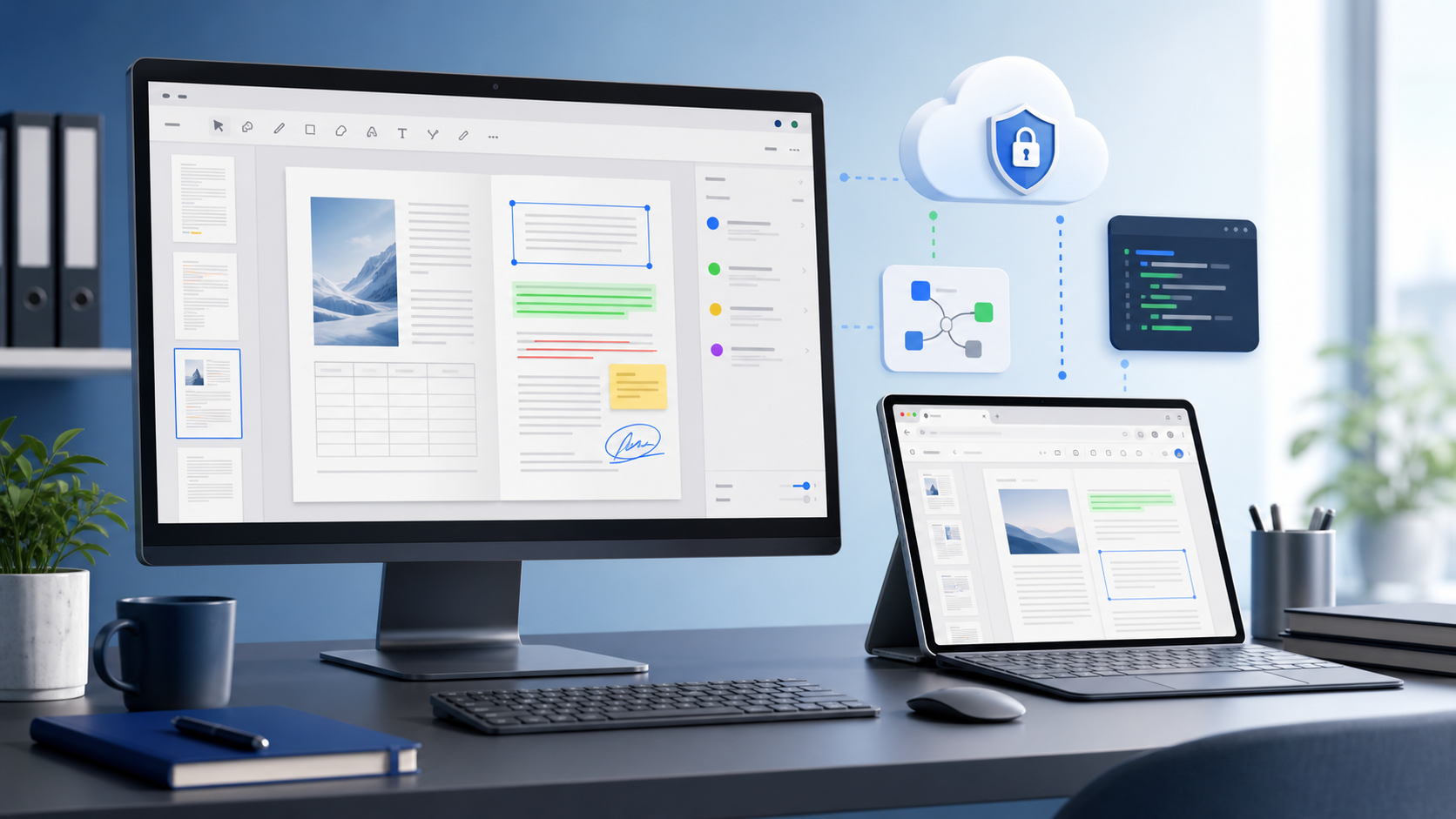
Desktop PDF 뷰어는 여전히 중요합니다. 오프라인에서도 작동하고 파일을 로컬에 보관하며, 계약을 제3자에게 맡길 필요가 없습니다. 무료 온라인 뷰어는 빠른 확인에 편리하지만, 연결이 필요하고 문서를 다른 사람의 서버에 전달하며, 데스크톱 도구에서는 없는 제한을 부과합니다.
솔직한 질문은 어느 쪽이 이기는가가 아니라, 여러분이 어떤 작업을 수행하느냐입니다. 이 글은 호스팅 뷰어가 적절한 경우와 명백히 그렇지 않은 경우에 대해 다룹니다. 문제의 사이트인 Online Document Viewer는 무료이며, 계정이 필요 없고, 데이터를 저장하지 않습니다 — 임베드할 수 없고, 인증되지 않았으며, 네트워크를 떠날 수 없는 문서를 위한 장소가 아닙니다.
1. 성능 – 렌더링이 이루어지는 위치
무료 온라인 뷰어는 대용량 PDF, 복잡한 벡터 그래픽 또는 고해상도 이미지를 처리하는 일반 파이프라인을 사용하는 경우가 많습니다. 결과는? 느린 스크롤, 끊기는 줌, 혹은 깨진 페이지 레이아웃입니다. 파일이 엔지니어링 도면(DWG, DXF), 디자인 자산(PSD, SVG) 또는 수 메가바이트 규모의 보고서인 경우, 그 지연이 전체 경험을 좌우합니다.
Online Document Viewer는 작업을 클라이언트에서 서버로 옮깁니다. 문서는 서버에서 렌더링되고 브라우저가 결과를 그리므로, 복잡한 도면이 워크스테이션과 마찬가지로 휴대폰에서도 동일하게 동작합니다: 휴대폰이 렌더링을 수행하지 않기 때문입니다.
두 가지 결과가 있으며, 모두 명확히 언급할 가치가 있습니다:
- 용량 제한은 포맷별이며, 사이트별이 아닙니다. PDF, PSD, Visio, EPUB, TIFF 및 이미지 25 MB; Excel, PowerPoint 및 Project 20 MB; Word 및 RTF 15 MB; CAD 및 이메일 10 MB; HTML, XML 및 텍스트 5 MB. 제한을 초과하면 업로드가 거부되며, 메시지에 해당 숫자가 표시됩니다.
- 임베드할 것이 없습니다. 이는 열어 보는 페이지일 뿐이며, 빌드에 삽입하는 구성 요소가 아닙니다. 동일한 렌더러를 자체 애플리케이션에 포함하려면 Doconut .NET SDK를 사용해야 하며, 이는 별도의 라이선스를 가진 제품입니다.
2. 보안 및 프라이버시 – 로컬 데스크톱 앱만으로는 부족한 이유
기업들은 주로 데이터 주권 때문에 데스크톱 PDF 뷰어에 의존합니다. 기밀 계약서를 무료 웹 서비스에 업로드한다는 것은 제공자의 SSL 구현, 보존 정책 및 감사 로그를 신뢰한다는 의미이며, 이러한 정보는 보통 공개되지 않습니다. “30분 후 자동 삭제”조차도 규제 기관이 전체 감사 기록을 요구할 때 골칫거리가 될 수 있습니다.
Online Document Viewer는 호스팅된 뷰어입니다. 이것이 제공하는 이점과 비용은 다음과 같습니다:
- 전송 중 TLS, 샌드박스 렌더링 – 트래픽은 TLS를 통해 전송되고 문서는 샌드박스
<iframe>내부에서 그려집니다. 종단 간 암호화는 없으며, 렌더링은 서버에서 이루어져 서버가 파일을 읽습니다. - 자동 파일 삭제 – 뷰어 세션이 종료되는 즉시 파일이 완전히 삭제되어 남은 복사본이 없습니다.
- 계정 없음 – 등록하거나 로그인할 필요가 없습니다. 무료 뷰어에는 서명된 URL 방식이나 설정 가능한 만료 기간이 없으며, 이러한 기능은 유료 SDK에 포함됩니다.
- 셀프 호스팅 버전 없음 – 뷰어는 우리 서버에서 실행되며 귀하의 방화벽 뒤에서 동작하지 않습니다. 문서가 네트워크를 떠날 수 없는 경우, 호스팅 뷰어는 부적절한 도구이며, 자체 애플리케이션 내부에서 동작하는 구성 요소는 doconut.com 의 .NET SDK입니다.
따라서 워크플로우는 웹 앱 내부에 머무르고 누구도 바이너리를 설치하지 않습니다. 포기하는 것은 데스크톱 뷰어가 무료로 제공하던 유일한 장점, 즉 파일이 절대 머신을 떠나지 않는다는 점입니다.
3. 설치 부담 없이 읽기
Desktop PDF viewers earn their place with reliable access, high-fidelity rendering, and a stable experience for business users. Free online viewers usually strip capabilities to stay light. Here is what this one keeps and what it drops.
| Desktop-viewer expectation | Online Document Viewer |
|---|---|
| 고충실도 렌더링 | 다중 형식: PDF, DOCX, XLSX, PPTX, DWG, PSD, SVG, TIFF, MSG, EPUB 등 |
| 브라우저 접근 | 모든 최신 브라우저에서 사용 가능, 플러그인 필요 없음, 설치 필요 없음 |
| 문서 내부 검색 | 파일이 이미 가지고 있는 텍스트 레이어를 통해 검색합니다. 텍스트 레이어가 없는 스캔은 아무것도 반환하지 않으며 OCR이 없습니다. |
| 인쇄 | 브라우저에서 화면 레이아웃 그대로 인쇄 |
| 비밀번호 보호 파일 | 업로드 아래에 비밀번호 입력란이 표시됩니다. 보호된 Office 파일은 비밀번호를 입력하면 열리고, 보호된 PDF는 비밀번호를 설정한 사람에 의해 해제되어야 합니다. |
| 편집, 주석, 서명 | 세 가지 모두 지원되지 않습니다. 이것은 뷰어입니다. |
| 링크 공유, 브랜드화, 감사 로그 | 여기서는 제공되지 않습니다. 계정도 없고, 공유 세션도 없으며, 화이트 라벨링도 없습니다 — 이러한 기능은 SDK와 이를 기반으로 구축하는 애플리케이션에 포함됩니다. |
설치 여부에 대한 논쟁을 완전히 피할 수 있습니다. 포기하는 것은 계정이 있어야만 사용할 수 있는 모든 기능입니다.
4. 통합은 다른 제품이다
많은 SaaS 플랫폼이 .NET 스택 위에서 동작하며, 데모 후에 흔히 묻는 질문은 “내 앱에 넣을 수 있나요?” 입니다. 이 사이트는 그렇지 않습니다. 무료 뷰어는 JavaScript SDK도, REST API도, 토큰 체계도 없습니다; 열어 보는 페이지일 뿐, 설치하는 컴포넌트가 아닙니다.
설치 가능한 것은 Doconut .NET SDK입니다: 동일한 렌더러를 ASP.NET, MVC, .NET Core 또는 Blazor에서 참조하는 컴포넌트 형태로 라이선스합니다. 귀하의 서버에서 실행되므로 문서가 우리 서버에 도달하지 않으며, 다운로드 차단이나 인쇄 제한 같은 뷰어 제어는 직접 코딩으로 설정합니다. 패키지, 라이선스 및 문서는 doconut.com에 있습니다.
5. 크로스 포맷 – 하나의 업로드 박스, 70개 이상의 확장자
데스크톱 뷰어에 대한 흔한 불만은 CAD 파일, 스프레드시트, 전자책 등 각각에 별도의 플러그인을 설치해야 한다는 점입니다. 무료 온라인 뷰어는 종종 “200개 이상의 포맷 지원”을 주장하지만, DWG 도면이나 고해상도 PSD를 테스트하면 한계가 드러납니다. 엔지니어링 도면, 디자인 자산, 비즈니스 보고서 등을 미리 보기 해야 하는 SaaS 환경에서는 일관성이 중요합니다.
Online Document Viewer는 70개 이상의 확장자를 하나의 업로드 박스로 처리합니다, 여기에는 PDF, DOCX, ODT, RTF, XLSX, CSV, ODS, PPTX, ODP, DWG, DXF, DGN, PSD, SVG, TIFF, WEBP, ICO, EML, MSG, EPUB, MPP 및 VSD가 포함됩니다. 파일 유형은 파일 자체에서 감지되며, 동일한 렌더러가 모두 그립니다. 포맷당 한 페이지가 아니라 한 페이지입니다.
렌더링은 서버 측에서 이루어지므로 브라우저는 이미 그릴 수 있는 형태만 받습니다 — 플러그인도 없고, 로컬 리더도 없으며, 포맷별 설치도 필요 없습니다. 전송하는 것은 앞에 있는 사용자의 머신에서 직접 선택한 파일 자체이며, 무료 뷰어에는 S3나 Azure Blob 연결기가 없고, 폴더나 ZIP 업로드도 지원되지 않습니다. 스토리지 연결은 SDK에서 다루며, 사용자의 애플리케이션에서 설정합니다.
6. “무료”의 숨은 비용
무료 도구에도 숨겨진 비용이 있습니다 — 용량 제한, 정책을 깨는 보존 기간, 직접 구현해야 하는 누락 기능 등. 여기서 적용되는 항목을 정확히 파악하세요.
- 무료는 무료입니다. 계정도 없고, 상위 티어도 없으며, 파일당 요금도 없고, 업그레이드 대상도 없습니다. 가격 페이지에는 두 개의 열이 있습니다: 이 뷰어는 0원이며, 자체 소프트웨어에 렌더러를 포함시키는 상용 라이선스가 있습니다.
- 제한은 공개되어 있으며 포맷당 적용됩니다. 위의 숫자는 전체 세트입니다. 제한을 초과하면 메시지에 상한이 표시된 업로드 거부 응답을 받으며, 예상치 못한 청구서가 나오지는 않습니다.
- 부재 항목: 종단 간 암호화, 사용자별 감사 로그, SLA, 자체 호스팅 버전, 그리고 감사인에게 제공할 인증서 — ISO 27001, SOC 2, HIPAA 인증이 없습니다.
- 해당 위치: 라이선스된 SDK에 포함되어 있으며, 귀하가 제어하는 인프라에서 실행되고, 귀하의 계약 하에 있습니다.
네트워크를 벗어나지 않을 문서라면, 마지막 점이 전체 답이 됩니다.
핵심 요약
- 데스크톱급 PDF 렌더링은 일반 온라인 도구가 종종 부족한 속도, 정확성 및 신뢰성을 제공합니다.
- 온라인 문서 뷰어는 플러그인이나 설치 없이 일반 브라우저 탭에서 동일한 형식을 엽니다.
- 하지만 다음은 제공되지 않습니다: 종단 간 암호화, 사용자별 감사 로그, SLA, 혹은 자체 호스팅 버전. 렌더링은 서버에서 실행되며, 계정이 없으므로 감사 로그를 연결할 대상이 없습니다.
- PDF, DOCX, DWG, PSD, SVG 등 다양한 형식 지원으로 형식별 별도 리더가 필요하지 않게 됩니다.
- 무료 호스팅 뷰어는 설치 비용은 없애지만, 규정 준수 의무는 없애지 못합니다. 네트워크를 떠날 수 없는 문서의 경우, 렌더러는 자체 인프라 내에서 실행되어야 합니다.
자주 묻는 질문
Q: 이 뷰어를 내 애플리케이션에 삽입할 수 있나요?
A: 이 사이트에서는 아닙니다. 무료 뷰어는 열어 보는 페이지이며, 설치하는 컴포넌트가 아닙니다 — JavaScript SDK도 없고, REST API도 없으며 토큰 체계도 없습니다. Doconut .NET SDK는 동일한 렌더링 엔진을 귀하의 애플리케이션 내에서 사용할 수 있도록 라이선스를 제공합니다.
Q: 내 파일은 얼마나 오래 보관되나요?
A: 세션 동안만 보관됩니다. 문서는 읽는 동안 임시 저장소에 머무르며 세션이 종료되면 사라집니다. 이를 저장할 계정도 없고, 이후 복사본도 남지 않습니다.
Q: 뷰어가 200 MB DWG 파일과 같은 대용량 엔지니어링 도면을 처리할 수 있나요?
A: 아니요. CAD 뷰어는 DWG, DXF, DGN 파일을 최대 10 MB까지 지원하며, 그보다 큰 파일은 메시지에 명시된 제한으로 거부합니다. 200 MB 도면은 데스크톱 소프트웨어나 SDK가 필요합니다.
Q: 스캔된 PDF 내부를 검색할 수 있나요?
A: 스캔에 이미 텍스트 레이어가 있는 경우에만 가능합니다. 검색은 PDF에 포함된 텍스트를 대상으로 하며, OCR 기능이 없으므로 픽셀만 있는 페이지는 검색 결과가 없습니다.
다음 단계
파일을 바로 읽고 싶다면: onlinedocumentviewer.com. 무료, 계정 필요 없음, 한 번에 하나의 파일. 동일한 렌더링을 자체 .NET 애플리케이션에 넣고, 문서가 서버를 떠나지 않게 하려면: doconut.com.