Desktop PDF converters are useful when you need to convert a file locally, offline, and only once in a while. But if your users need to preview documents inside a web application, customer portal, DMS, CRM, SaaS platform, or internal business system, a browser-based document viewer is usually a better fit.
Instead of asking users to download files, install desktop software, or open documents outside your application, a document viewer lets them open PDF, Office, CAD, image, and other business files directly in the browser.
For .NET teams that need this kind of embedded viewing experience, Doconut Viewer is a relevant option to consider. It is a .NET document viewer SDK designed to render and interact with documents inside web applications.
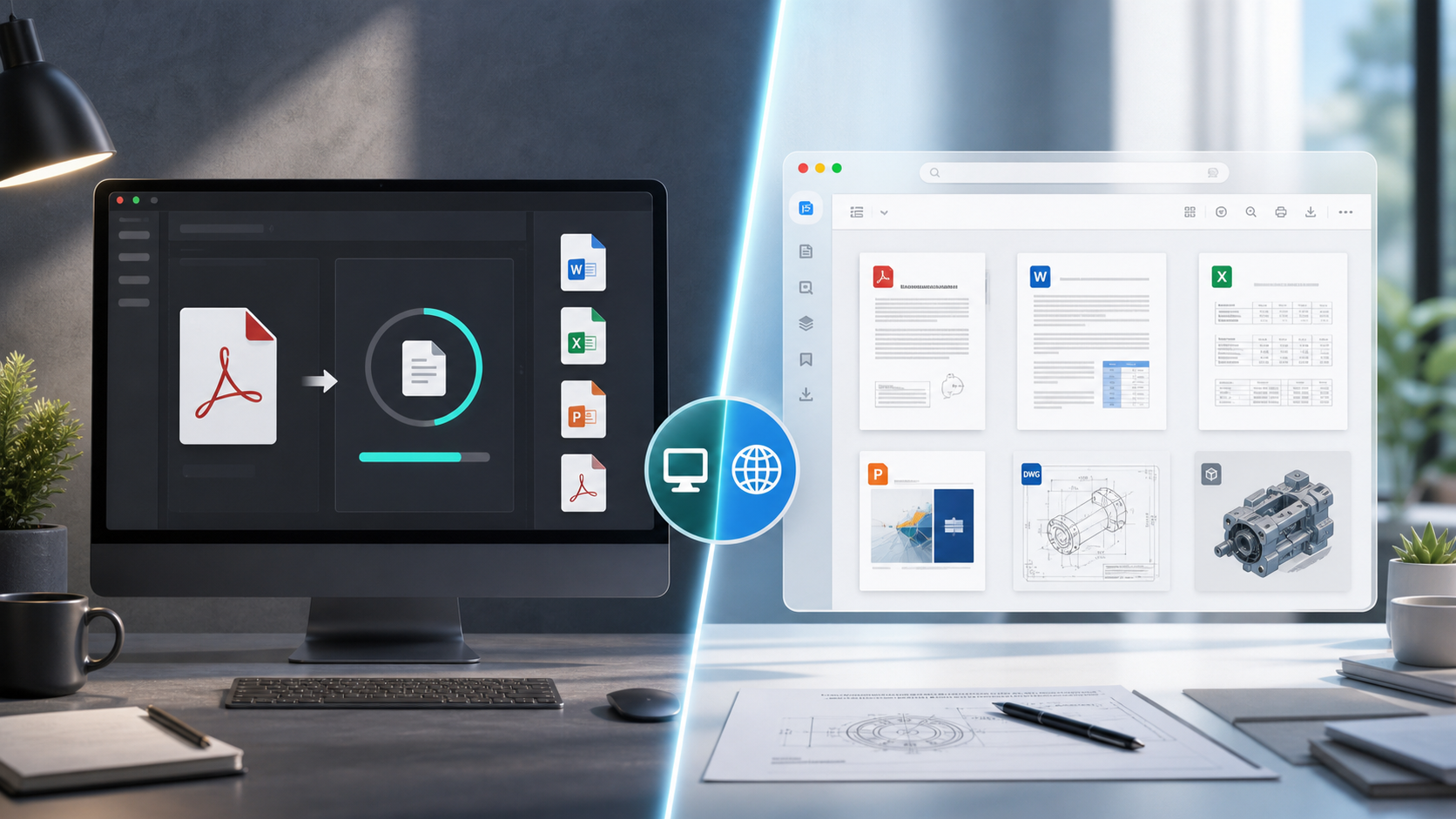
1. When a Desktop PDF Converter Makes Sense
A desktop PDF converter can still be the right tool in simple situations:
- You only need to convert files occasionally.
- The work is done by one person on one machine.
- The files do not need to be viewed inside a web application.
- Offline usage is more important than integration.
- You do not need a shared document preview workflow.
For example, a desktop tool may be enough if a user simply wants to convert a Word document to PDF or merge a few PDF files on their own computer.
The problem starts when the same workflow needs to scale across many users, browsers, devices, and application environments.
2. Why Browser-Based Viewing Is Better for Web Applications
Modern applications often need document preview as part of the user experience. A customer portal may need to show invoices. A legal platform may need to display contracts. A recruitment system may need to preview resumes. A document management system may need to open many file types without forcing the user to download them.
In those cases, a browser-based viewer has clear advantages:
- Users do not need to install desktop software.
- Documents can be opened directly inside the application.
- The viewing experience is easier to standardize.
- Access can be controlled by the application.
- The same workflow can support desktop and mobile browsers.
This is especially useful for business applications where document viewing is part of a larger workflow, not a separate manual task.
3. Multi-Format Support Matters
A desktop PDF converter focuses mainly on PDF conversion. But business users rarely work with only one file type. They may need to open Word documents, Excel spreadsheets, PowerPoint presentations, CAD drawings, emails, images, and PDF files.
That is why a multi-format document viewer can be more useful than a simple converter.
Doconut supports document viewing for common business formats such as PDF, Office documents, CAD files, email files, and images. You can review the supported format details and compatibility notes in the Doconut FAQ.
This makes it easier to provide one consistent viewing experience instead of sending users to different tools depending on the file type.
4. Integration Is the Main Difference
The biggest difference between a desktop converter and an embedded viewer is integration.
A desktop converter lives outside your application. The user downloads a file, opens another program, performs the conversion, saves the output, and may need to upload the result again.
A document viewer is part of your application flow. The user clicks a file and previews it directly in the browser.
For .NET applications, Doconut is designed for ASP.NET, MVC, .NET Core, .NET 6+, Blazor, and related web application scenarios. It can be used to display documents from physical paths, streams, URLs, databases, intranet locations, and supported cloud storage providers.
That makes it a better fit for developers building document-heavy applications where users should not leave the system just to view a file.
5. Security and File Control
Security is one of the main reasons teams hesitate to use online document tools. That concern is valid. Before using any online viewer or converter, you should understand where files are uploaded, how long they are stored, and who controls the infrastructure.
This is also where it is important to avoid vague marketing claims.
For example, it is not enough to say that a tool is “GDPR-ready” or “privacy-first” unless the product documentation clearly explains how files are handled.
In Doconut’s case, the FAQ states that files remain inside the customer’s premises and that there are no callbacks to Doconut servers. This is important for teams that want document viewing inside their own application environment instead of relying on an external file processing service.
If your organization handles confidential documents, always verify:
- Where the file is processed.
- Whether the file leaves your infrastructure.
- Whether temporary files are created.
- How access is controlled by your application.
- Whether the viewer requires external services.
- What happens when users open documents from cloud storage.
6. Maintenance and User Experience
Desktop converters can create maintenance issues over time. Each user may have a different version installed. Some machines may be missing fonts or dependencies. Some users may work on Windows, others on macOS, Linux, tablets, or mobile browsers.
A browser-based viewer helps reduce that friction because the viewing experience is delivered through the application.
For users, this means fewer steps:
- Open the application.
- Click the document.
- View it directly in the browser.
For developers, it means less dependency on each user’s local setup.
7. Desktop Converter vs Browser-Based Viewer
| Requirement | Desktop PDF Converter | Browser-Based Document Viewer |
|---|---|---|
| One-time local conversion | Good fit | Not always necessary |
| Embedded document preview | Not ideal | Good fit |
| Multi-user web workflow | Limited | Better fit |
| No user installation | Usually no | Yes |
| Multi-format document viewing | Depends on the tool | Better when using a universal viewer |
| Application-level access control | Limited | Managed by your app |
| .NET application integration | Limited | Stronger fit with a .NET viewer SDK |
| Mobile browser access | Usually limited | Better fit |
8. When to Choose Each Option
Choose a desktop PDF converter when:
- The task is personal or occasional.
- Files are handled manually.
- Users only need simple conversion.
- Integration is not required.
- Offline local work is the main priority.
Choose a browser-based document viewer when:
- Users need to preview files inside your application.
- You need a consistent viewing experience.
- Your system handles many document formats.
- You want to reduce downloads and local software dependencies.
- You are building a SaaS product, customer portal, DMS, CRM, HR platform, legal platform, or internal business app.
For .NET projects, you can explore Doconut Viewer as an embedded document viewing option, or check the Doconut download and documentation page for integration resources.
Common Questions
Do I always need a browser-based viewer? No. If you only need occasional local conversion, a desktop PDF converter may be enough. A viewer becomes more useful when document preview is part of a web application.
Is a document viewer the same as a PDF converter? No. A converter changes a file from one format to another. A viewer displays the document so users can read or interact with it in the browser.
Can a viewer support more than PDF? Yes, depending on the product. Doconut, for example, supports multiple business document formats including PDF, Office, CAD, email, and image files.
Is Doconut an online file upload service? No. Doconut is a .NET document viewer SDK for application integration. According to its FAQ, files remain inside the customer’s premises and there are no callbacks to Doconut servers.
Where can I try an online document viewer? You can start with Online Document Viewer for quick document viewing, or review Doconut if you need an embedded .NET document viewer for your own application.
Conclusion
A desktop PDF converter is useful for simple, local, one-off tasks. But for web applications, SaaS platforms, portals, and internal business systems, a browser-based document viewer usually provides a better user experience.
It reduces the need for local software, keeps users inside your application, supports more consistent workflows, and can handle more than just PDF when paired with a multi-format viewer.
If your project is built on .NET and needs embedded document viewing, Doconut Viewer is worth reviewing as a dedicated SDK for displaying documents directly inside your application.