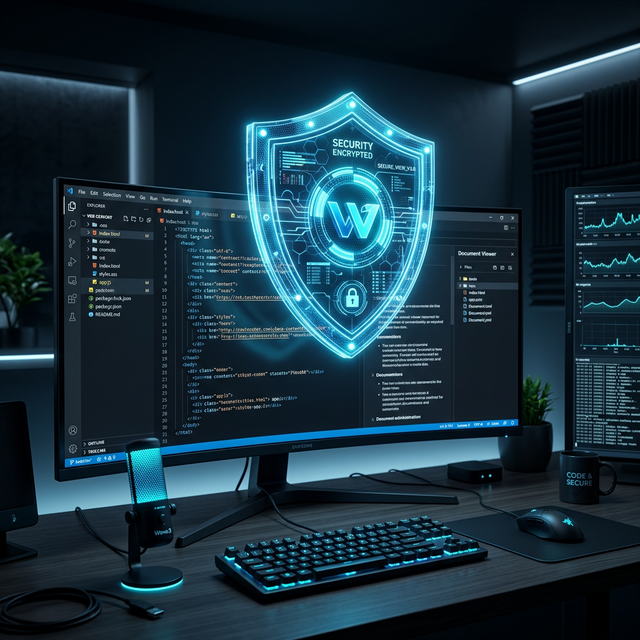
When you roll out a polished UI for displaying PDFs, PPTs, or invoices, you usually focus on aesthetics, responsiveness, and load‑time. What gets overlooked, however, is how the documents travel from your server to the user’s browser. A single mis‑step can turn an otherwise solid application into a data‑leak vector.
In this guide we’ll walk through the seven security‑focused capabilities you should embed—right out of the box—when integrating a privacy‑first document viewer. The checklist is written for front‑end engineers who want to fortify their embeds without adding unnecessary complexity.
1. End‑to‑End Encryption of the Document Stream
Why it matters
Even if you serve files over HTTPS, the raw document can be intercepted by a compromised browser extension or a malicious script that reads the response before it hits the viewer.
How to implement
| Step | Action |
|---|---|
| Server‑side encryption | Encrypt the file (AES‑256‑GCM is a solid choice) before storing or streaming it. |
| Transport security | Deliver the encrypted blob over TLS 1.3. |
| Client‑side decryption | Spin up a Web Worker that receives the encrypted stream, decrypts it in memory, and feeds the plaintext directly into the viewer’s canvas. |
| Never expose the key | Keep the decryption key in a short‑lived, server‑generated token (see Feature #4). |
By the time the viewer renders, the document has never been exposed in plain text on the network or in the main thread.
2. Content‑Security‑Policy (CSP) Whitelisting
The risk
A lax CSP lets an attacker inject malicious scripts or load rogue resources that could read the viewer’s canvas data.
Key points
- ‘unsafe‑inline’ and ‘unsafe‑eval’ are disallowed for scripts.
- Only the viewer’s CDN (or self‑hosted bundle) is allowed to serve JavaScript.
- Frames are restricted to the trusted viewer domain.
A tight CSP dramatically reduces the attack surface of the page that hosts the embed.
3. Same‑Origin Isolation via iframe Sandbox
Why sandbox?
Even with CSP, a compromised page could try to reach into the viewer’s DOM. An isolated <iframe> creates a security cage that the host page cannot break without explicit permission.
Sandbox flags to avoid
allow-top-navigation– prevents the viewer from hijacking the top‑level window.allow-popups– blocks unexpected pop‑ups that could be used for phishing.
If the viewer needs to communicate with the parent page (e.g., for UI sync), use postMessage with an explicit origin check.
4. Token‑Based Access Control
The problem with direct URLs
Public, static URLs let anyone with the link download the file forever.
Because the token is signed server‑side, any tampering invalidates the request, and the viewer refuses to load.
5. Watermarking & Dynamic Overlays
Purpose
A dynamic, client‑side watermark adds an accountability layer without altering the original file.
Implementation tips
- Render the watermark on a canvas overlay that sits above the PDF pages.
- Use the session’s email or a random UUID so every viewer instance is unique.
- Toggle the overlay with a simple flag to keep performance overhead minimal.
If a leaked document surfaces, the embedded identifier points directly to the source.
6. Download & Print Restrictions
Browser defaults
Most browsers expose a right‑click context menu that can save the canvas as an image, effectively exporting the page.
What a viewer can and cannot do
A document viewer SDK can hide export actions from the toolbar, and the Doconut feature catalogue lists browser printing and PDF export among the capabilities you decide whether to present. Check the option names against the documentation for the build you install rather than against any article, this one included: configuration keys change between versions.
More important is the part no toolbar setting covers. Hiding a button is a workflow choice, not an access control. The server must still authorize every page, thumbnail, export, download and print request on its own, because those endpoints can be called directly. And once pixels are on a screen, screenshots, cameras and accessibility tooling exist; a viewer that promises otherwise is selling you something it cannot deliver.
7. Audit Logging & Event Hooks
The value of visibility
Even the best‑hardened viewer can be misused. Logging who opened which document, when, and what actions they performed creates a forensic trail.
With real‑time logs you can detect anomalous patterns—like a single user opening dozens of confidential PDFs in seconds—and trigger alerts or revocations.
Conclusion
Embedding a document viewer is a security responsibility, not only a UI one. Encryption of the document stream, a strict Content‑Security‑Policy, an isolated iframe sandbox, token‑based access, dynamic watermarks, export restrictions treated as UX rather than as protection, and audit logging are what separate an embed you can defend from one you cannot.
Two of those seven are yours no matter which viewer you pick: authorization and audit. No component can make that decision for your tenancy.
Ready to build the embed?
- Start from the vendor's own documentation for the version you install. For Doconut, that is doconut.com — packages, setup guides and samples. Copying configuration keys out of articles is how integrations break on upgrade.
- Put the seven‑point checklist in your pull‑request template so the security review happens before the merge, not after the incident.
- Test the negative cases first: another tenant's document identifier, an expired session, a direct request to a page or export endpoint. Those are the tests that find real holes.